
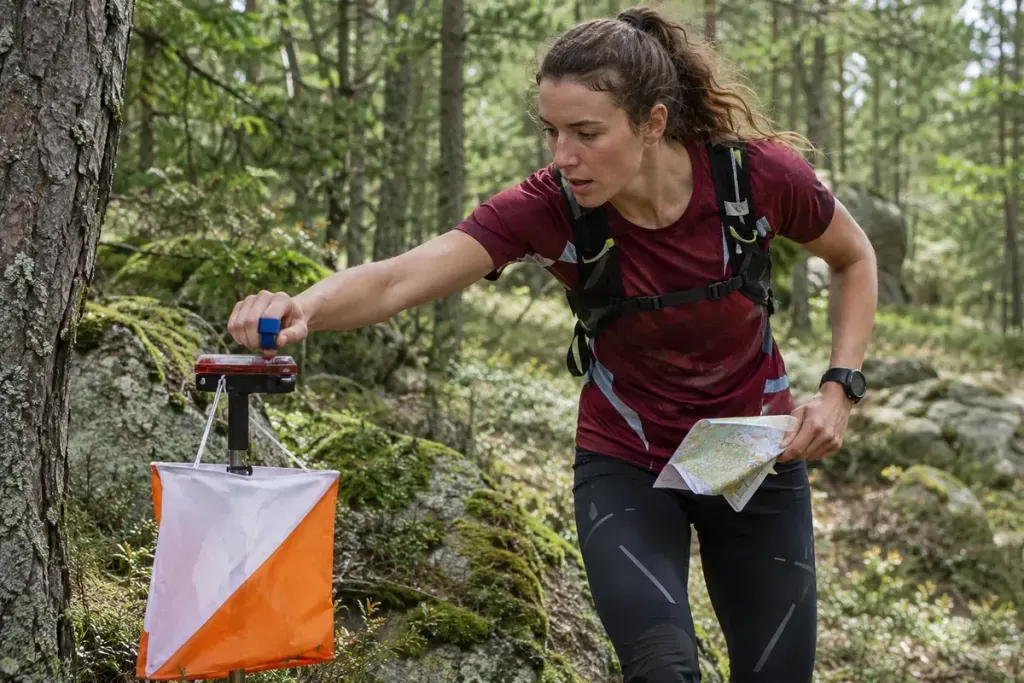
Finding the orange-and-white flag is satisfying, but an orienteering course also needs evidence that you visited the correct control. Electronic punching records that visit through the card or timing device issued or registered for you.
Prepare the card before starting
Orienteering Ireland’s introduction to SPORTident timing explains the clear-and-check procedure before the start. Clearing removes old data; checking confirms the card is ready. Follow the event’s actual start instructions, because equipment and start formats differ.
Ask for a demonstration if the device is unfamiliar. It is much easier to resolve a question in the start area than to discover halfway around the course that you have misunderstood what confirmation looks or sounds like.
Match the control before punching
Compare the control code with your course information. A nearby flag may belong to another course, and a successful electronic response does not prove that you chose the right control.
For contactless equipment, do not assume every card works at a distance. SPORTident’s AIR+ documentation describes the compatible active-card system and its activation process. Use the method and confirmation specified for your device and the event.
Do not let haste erase the check
A useful beginner rhythm is locate, verify, punch, confirm, then navigate onward. Practise it slowly until it becomes routine. The small pause to verify a code is usually easier to recover than a journey back after discovering a missing or incorrect visit.
If a unit fails or confirmation is unclear, use the organiser’s stated backup procedure and tell officials at download. Do not invent a substitute record or assume that being seen near the flag will resolve the result.
After finishing, complete the required download or check-in even if you abandoned the course. Tell the organisers you are back. The finish and download process supports results and also helps the event know who remains out.
Electronic punching is simple once demonstrated, but it rewards a deliberate routine. Navigation gets you to the place; checking and recording the visit complete that part of the course.